Getting started
Set up your job board in minutes. No theme extensions to activate, no redirects, no page management. Just link to your new job board.
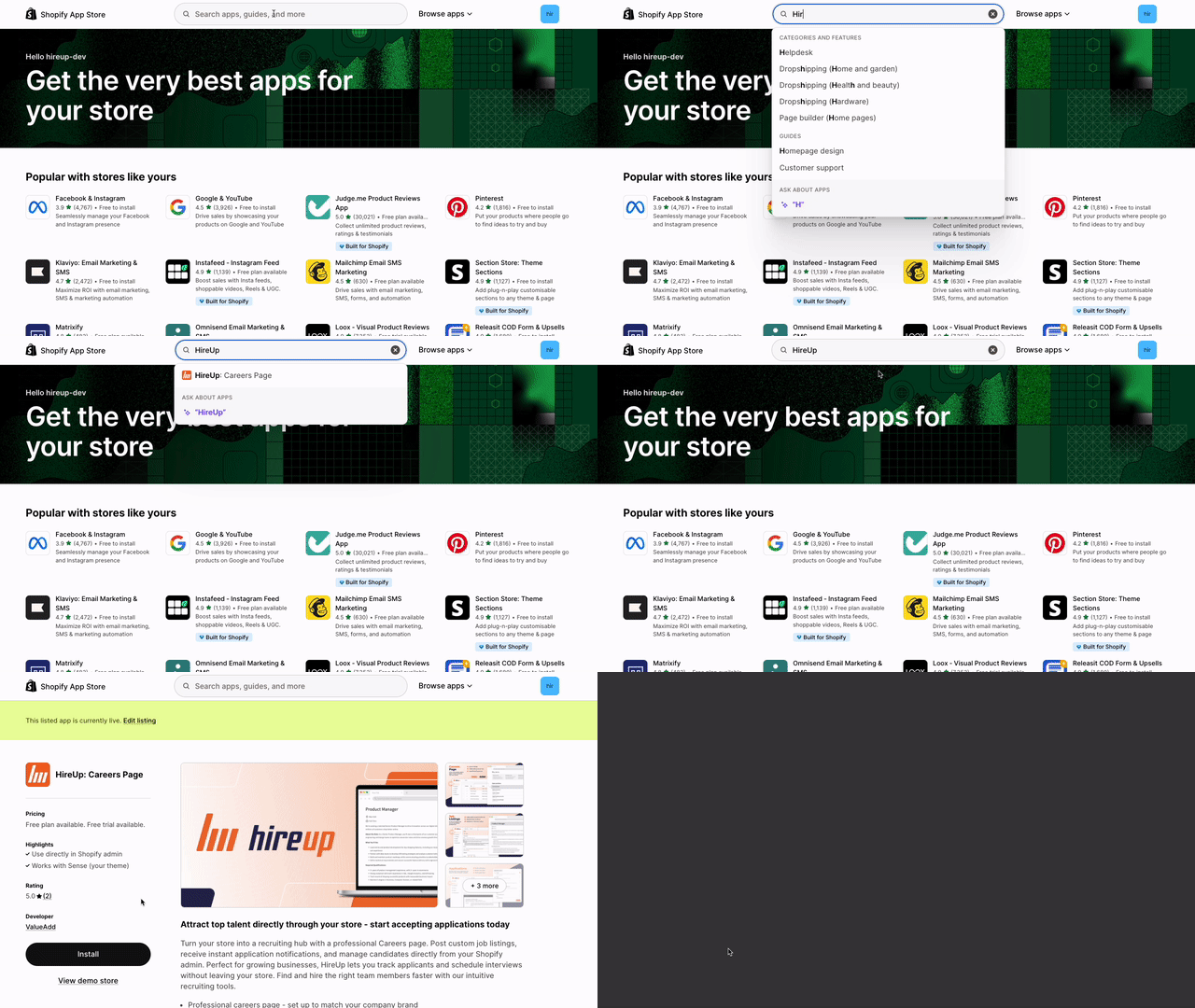
Install the app
In the Shopify app store, find the HireUp app and click Install. Or, navigate to the listing using the link below.

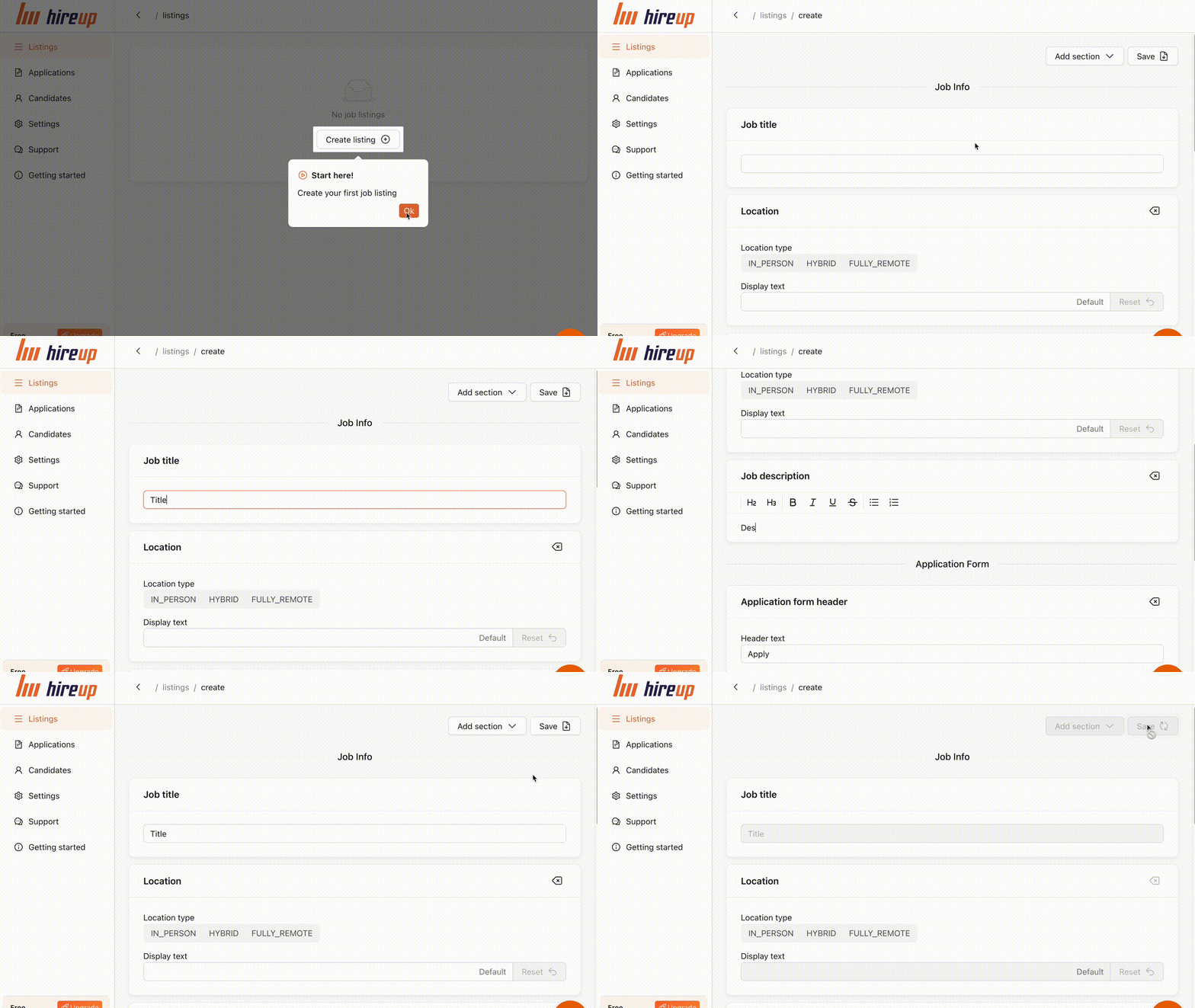
Create your first listing
In the HireUp app, press the button to create a new listing. Fill in the details with the relevant job information and application form. Don't forget to click 'Save' when you're done!
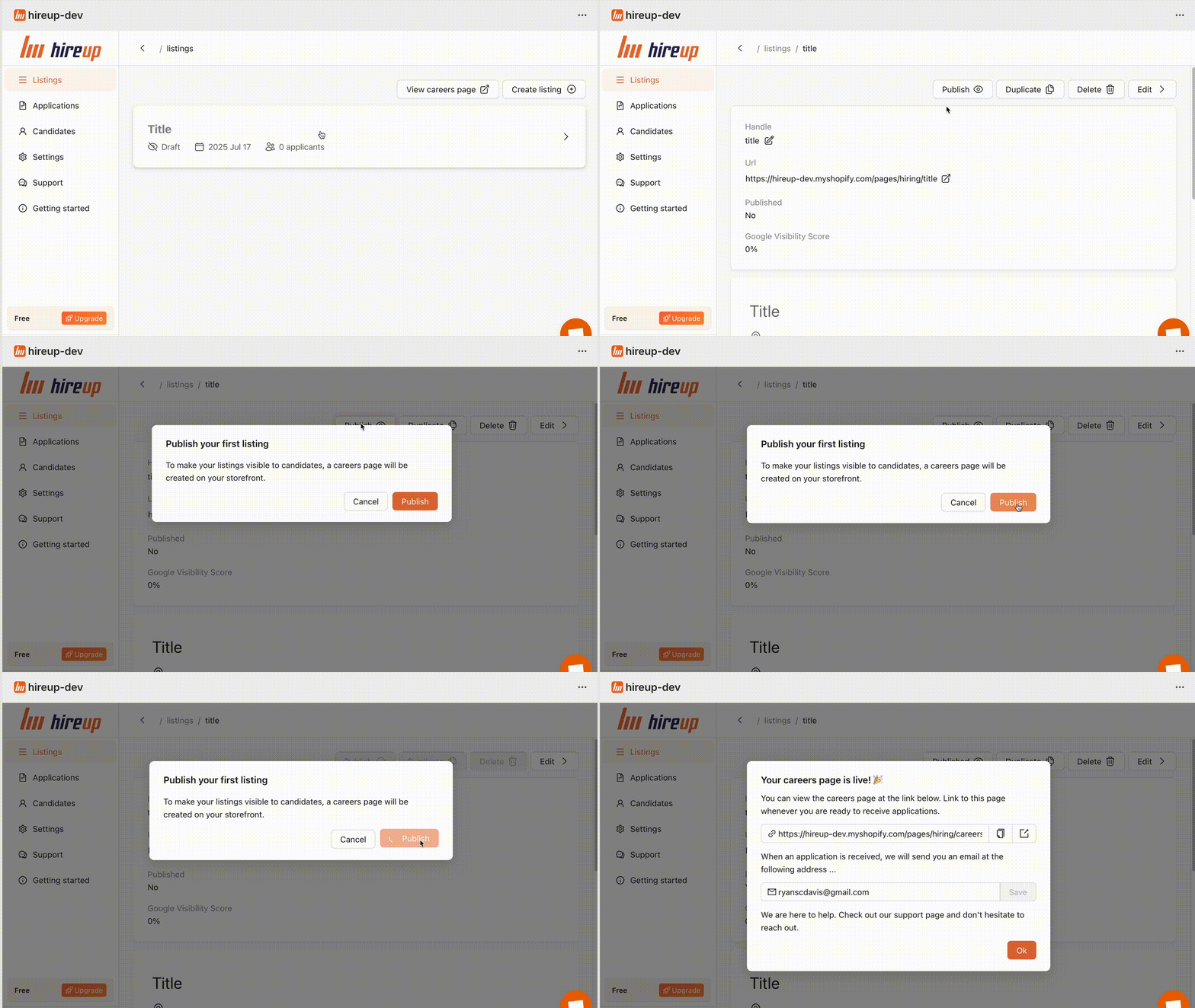
Press publish
Your new listing will be saved as a draft. Press the 'Publish' button to make it live on your store.
Customize your job board
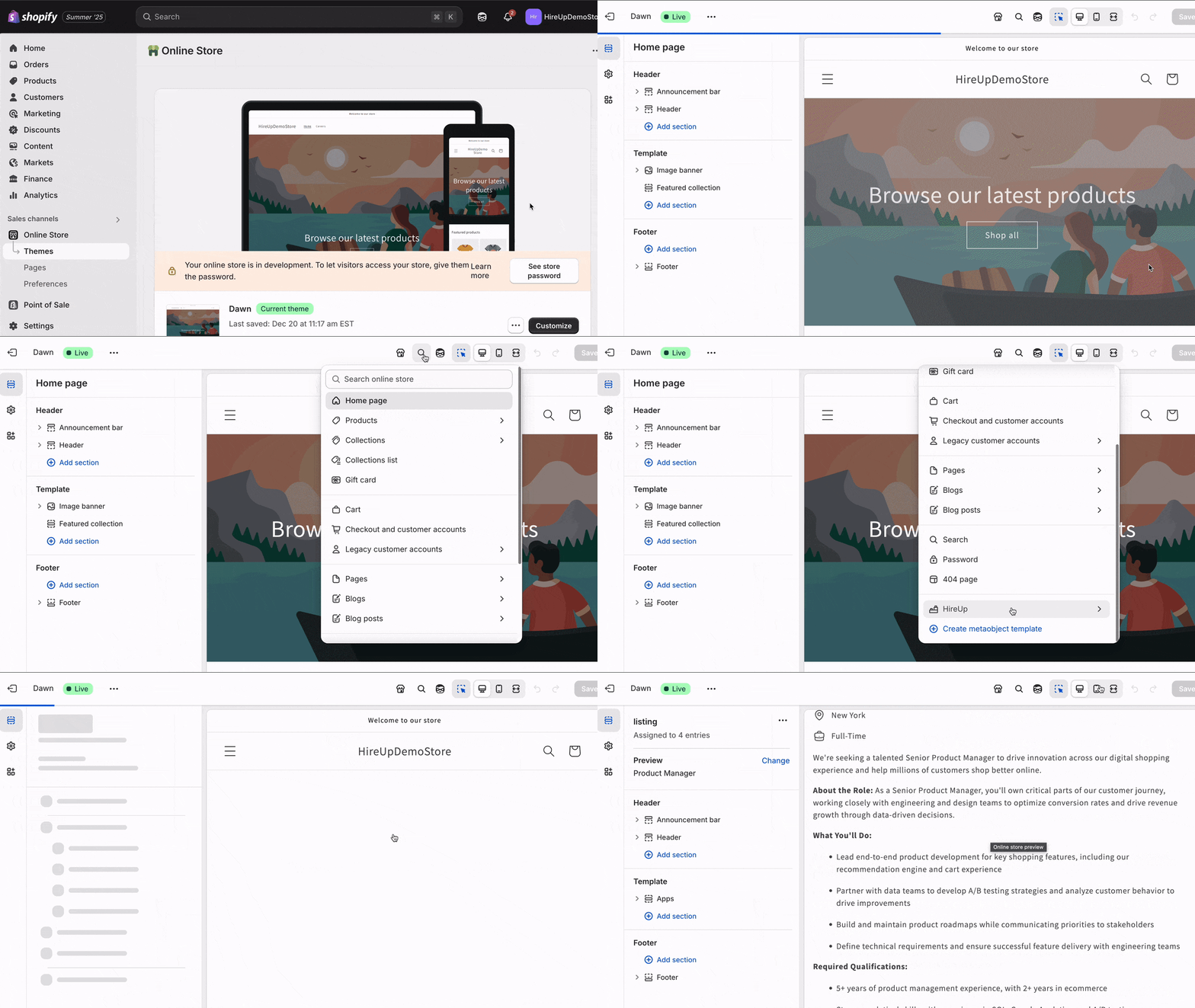
Optionally, you can visit the Theme Editor to customize your new job board. Click on the dropdown at the top of the screen. Find the HireUp templates and select the template you want to edit. It's good practice to add your own branding and messaging to attract the right candidates.
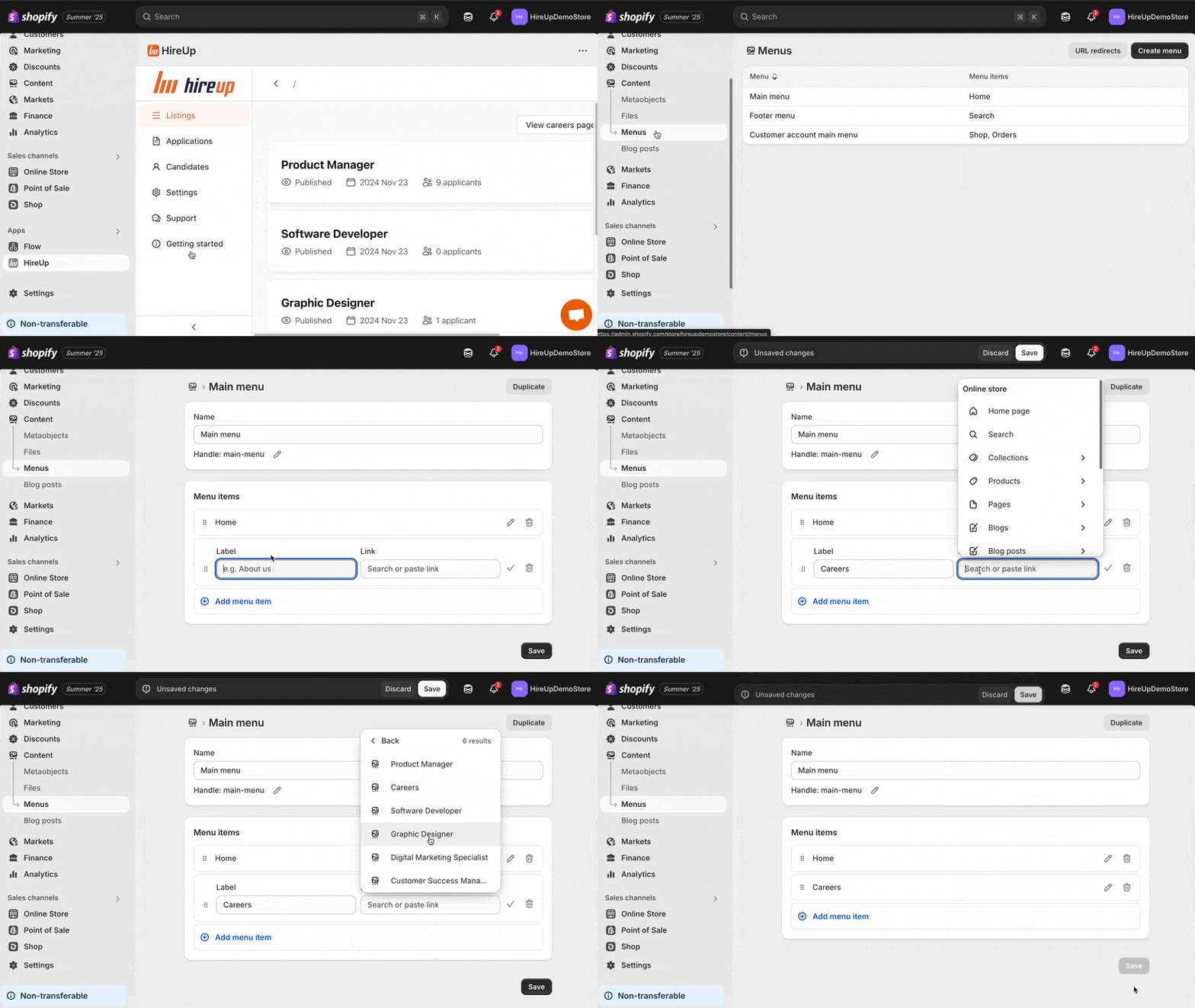
Add a navigation link
Add a link to your header or footer menus so that potential applicants can easily find your open positions. In the Shopify Admin panel, go to Content → Menus and add the menu item. In the Link field, select HireUp → Careers from the dropdown.